PIC output characteristics

In order to automate several functions at home, I am in the process of designing a low-speed home automation network. Since one of my primary goals is to have individual nodes be as low-cost as possible, I have decided on a clocked multi-master serial bus interface. Since the specifics of the interface (pullup resistor strength and signaling speed, mostly) will depend on the output characteristics of the individual nodes, some testing of a representative PIC microcontroller (a 12F683) is needed.

My testing protocol (if I can even call it that) is informal and straightforward. A capacitance, representing a conservative estimate of the capacitance of a length of RJ12 cable, is connected to an output from a PIC microcontroller. Since the network will be open-drain to avoid contention issues, a 270 ohm resistor will be used (digital outputs on a PIC are rated to source or sink 20mA max, so the pull-up resistance should be no less than 250 ohms. Power consumption is not a major concern, and a value close to the lower limit will allow faster rise times and therefore faster signaling.)
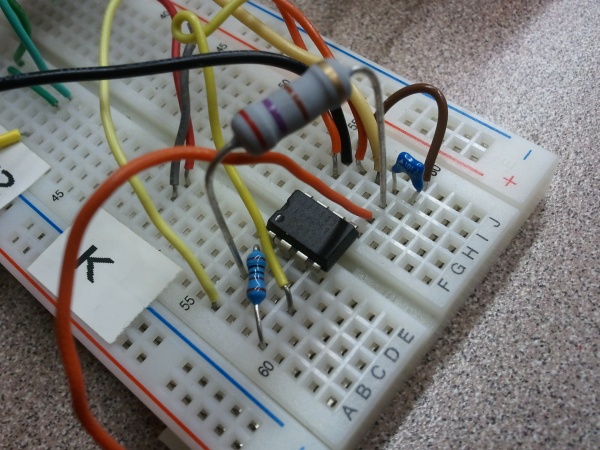
The experimental setup…

The first experiment was at full speed (running on the internal 8MHz clock): a 500ns pulse, with the pin being actively driven high and low. No capacitance was added, and no pull-up resistor was used.
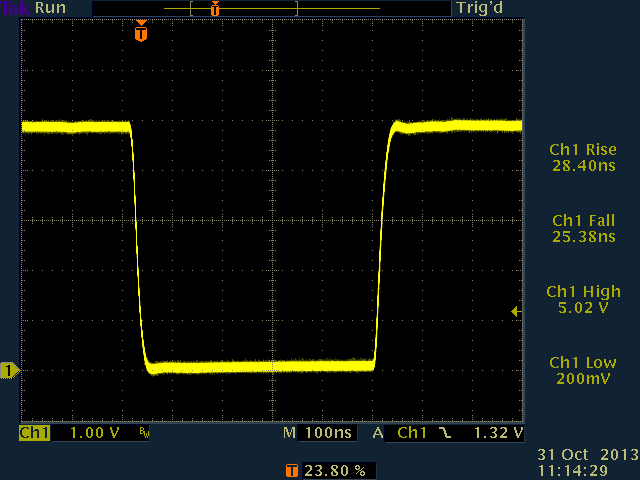
01_500ns_no_load_active

500ns pulse, no load, active high/low

Next, a 270 ohm pull-up resistor was added, and an open drain configuration was used (with the pin always either driven low or tristated, never driven high). This will prevent an overcurrent condition on the bus, should two devices assert different values at the same time.
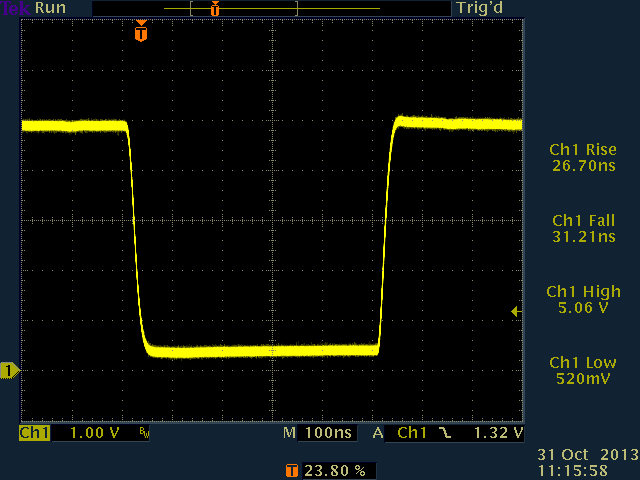
03_500ns_270r_od

500ns pulse, 270 ohm to Vcc, active low / open drain

Next, 100pF capacitance was added. This had little or no effect on the actively-driven falling edge, but did start to affect the pulled-up rising edge.
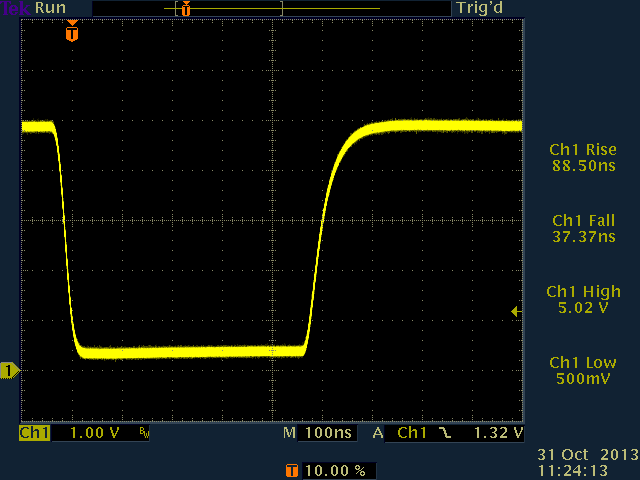
500ns, 270 ohm pull-up, open-drain, 100pF load

Next, the capacitance was increased to 1nF. This resulted in the voltage taking most of the 500ns pulse time to recover.
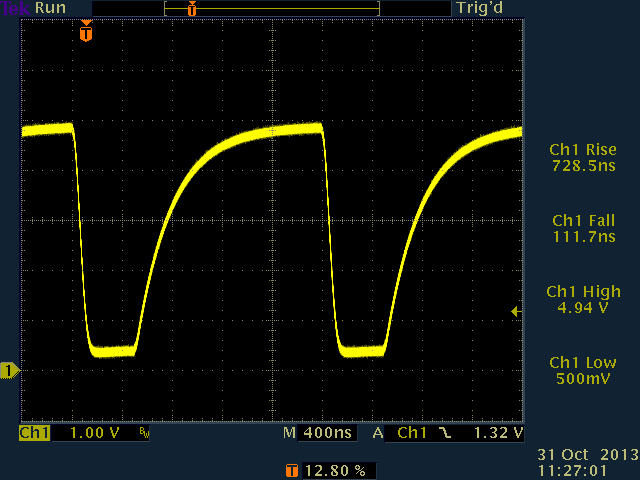
500ns pulse, 270 ohm pull-up, open-drain, 1nF loading

Because of this, I decided to slow the pulses down. I first tried 5us pulse widths, but the capacitance still couldn’t be increased past 1nF or so.
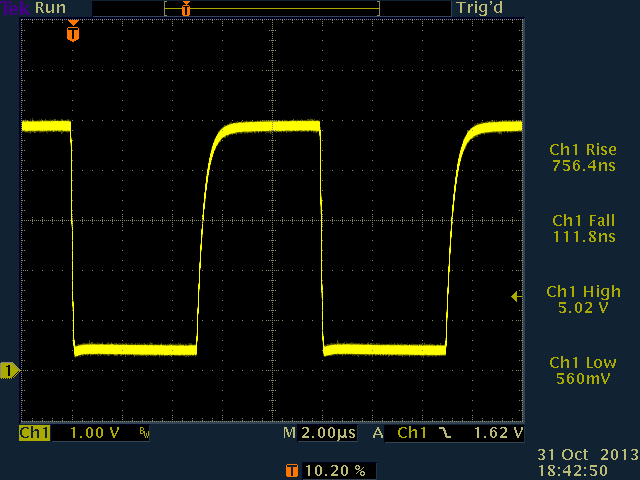
5us pulse, 270 ohm pull-up to Vcc, active low / open drain, 1nF loading
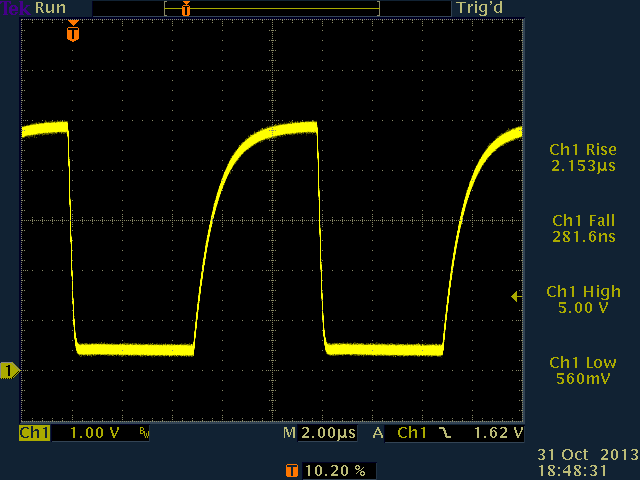
5us pulse, 270 ohm pull-up to Vcc, active low / open drain, 3nF

Finally, I settled on a 50us pulse time. This allows data transmission at up to 20kb/sec with a reasonably clean signal, even with 10nF loading. 6-conductor flat satin cable is stated by Black Box to have a characteristic capacitance of 22pF per foot. In standard units, this is 22pF per 304.8m, or about 72.2nF per meter. Since I plan on having about 25m of cable in the network to start (and perhaps as much as 100m eventually), this should result in a total cable capacitance of between roughly 1.8nF and  7.22nF.
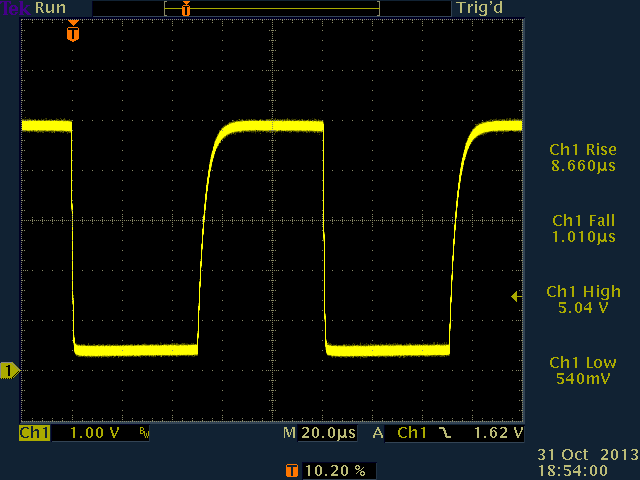
50us pulse, 270 ohm pull-up to Vcc, active low / open drain, 10nF loading

Here is a detail of the risetime at 10nF, showing a risetime of about 10us. By sampling past the halfway point of each bit period, the signal should be stable even with 10ns loading. 20kb/sec should therefore be fine. I’ll probably run it at 19,200 for nostalgia if no other reason.
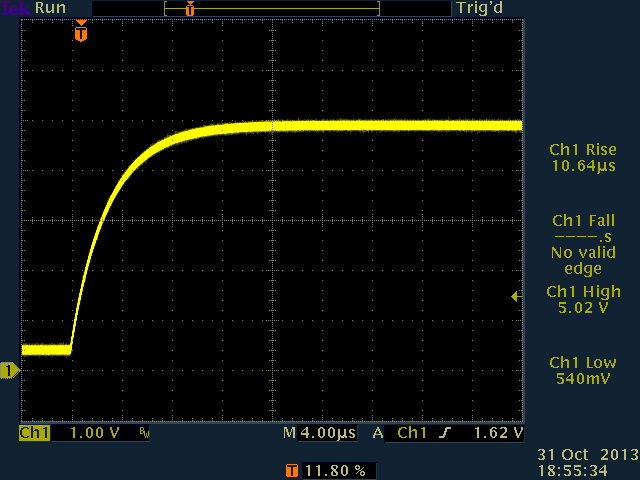
50us pulse, 270 ohm pull-up to Vcc, active low / open drain, 10nF risetime (detail)

These risetimes could, of course, have been calculated in terms of time constants (tau = RC), but it’s always nice to see actual results produced by actual hardware. One particular concern that I had was whether the PIC’s tristate functionality could really be relied upon to work this way, rather than as a relatively slow way to set up pin functionality upon initialization. It does indeed work nicely — apparently just as fast as actively toggling bits (although controlling both tristate and pin value would require swapping memory banks, which takes a few cycles.) For this test, the software simply remains in the TRISIO bank.
 

Posted in Analog, Digital, Electronics, PIC Microcontrollers | Tagged , , , , , , , , , | Leave a comment

A Torrent of Knowledge

As it turns out, Wikipedia is not only free to use, but makes its entire database available for download, as well. I just downloaded the entire set of Wikipedia articles (not including revision history) in just over 25 minutes.

Here is a page with links to several BitTorrent trackers. Downloads seem to be possible at well over the 50Mb/sec that my cable connection can handle. Compressed, the files are still several GB, so you may not want to try this on a metered data connection.

Posted in Digital Citizenship, Internet, Resources | Leave a comment

A Method To The Madness

A quick look at the values of standard 5% resistors is puzzling. Instead of a nice, logical progression of values (say, 1.0k; 1.1k; 1.2k… 1.9k; 2.0k), the values seem to follow some arbitrary scheme, possibly chosen by a numerologist rather than an engineer.

There’s a reason for this, though — the standard 5% resistor values are chosen based on a specific set of “preferred numbers.” This specific sequence not only ensures continuous coverage of the whole order-of-magnitude sequence (1.0 to 9.9 times a power of ten), but helps cut down on manufacturing defects, as well. Here’s how.

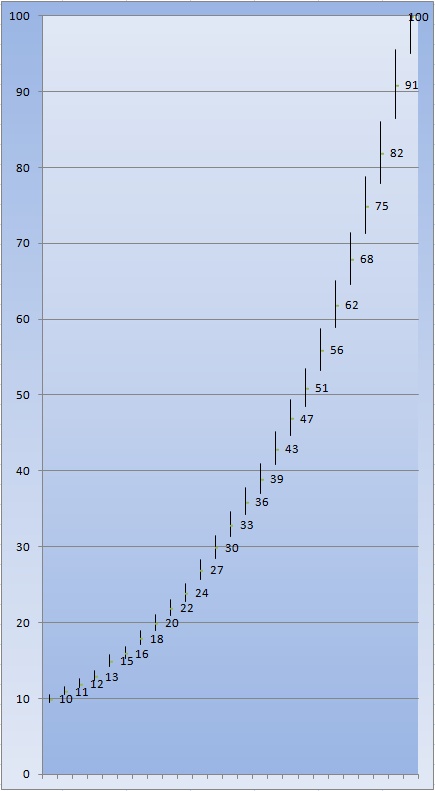
The E24 series, showing complete coverage of the decade from 10-100 within 5% tolerance.

The E24 series, showing complete coverage of the decade from 10-100 within 5% tolerance.

The “E24 series” is chosen so that every possible value, from 1.0 to 9.9999, falls within 5% of one (or two) of the values in the series. This way, any possible desired resistor value can be substituted by a resistor whose value is within the 5% margin of error. More interestingly, resistors can be manufactured with no control whatsoever over the resistance — and as long as their resistance falls somewhere on the scale, they can be binned into a group. A resistor tests out as 992 ohms? Into the 1k bin it goes. Another is 450 ohms? Good enough to go in the 470 ohm bin. All possible values fall into one (or sometimes two) possible bins.

It only seems weird until you think about it.

Posted in Analog, Components, EET201, Electronics, Math | Leave a comment

Portable Soldering Solutions

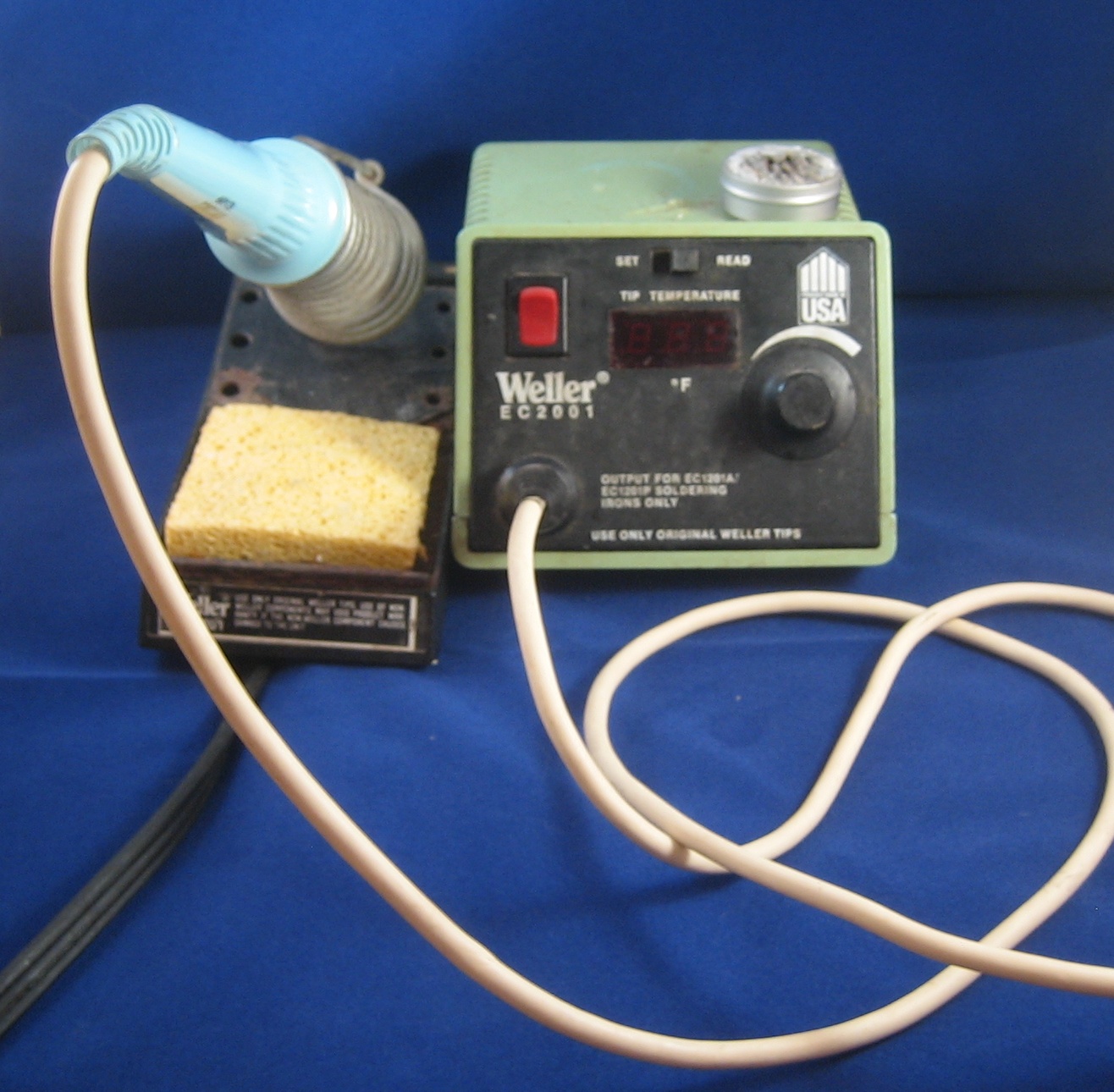
When working on projects in the lab, my choice of soldering solution is usually pretty easy: I just use my Weller EC-2001 temperature-controlled iron. The long, narrow tip that I use works well for the small devices that I typically solder, and the built-in thermostat allows for good control of tip temperature.

When working on projects away from the lab workbench, though, there are several choices of soldering tool available. Unfortunately, none of them are a perfect fit for all situations, but several of them are versatile enough to be quite useful.

Here are several soldering tools I’ve used in the field, along with some of my thoughts on each…


Weller desk iron

My temperature-controlled Weller — my main soldering iron.

This is my go-to soldering iron for my workbench, since it works very well for nearly all of the soldering jobs that I do (everything up to, say, 16-gauge wire or so.) Unfortunately, it’s a real pain to disentangle it from my workbench, lug it to the project site, and find a solid source of AC power for it. Unless I plan to do a lot of soldering near an AC outlet, I leave it on the bench. I got this in pieces at a hamfest years ago (found the base at one table, and the iron at another), so I got the whole thing for about $30 or so. If I’d known how easy the right iron makes soldering, I would have bought one at retail price long ago!


Butane iron

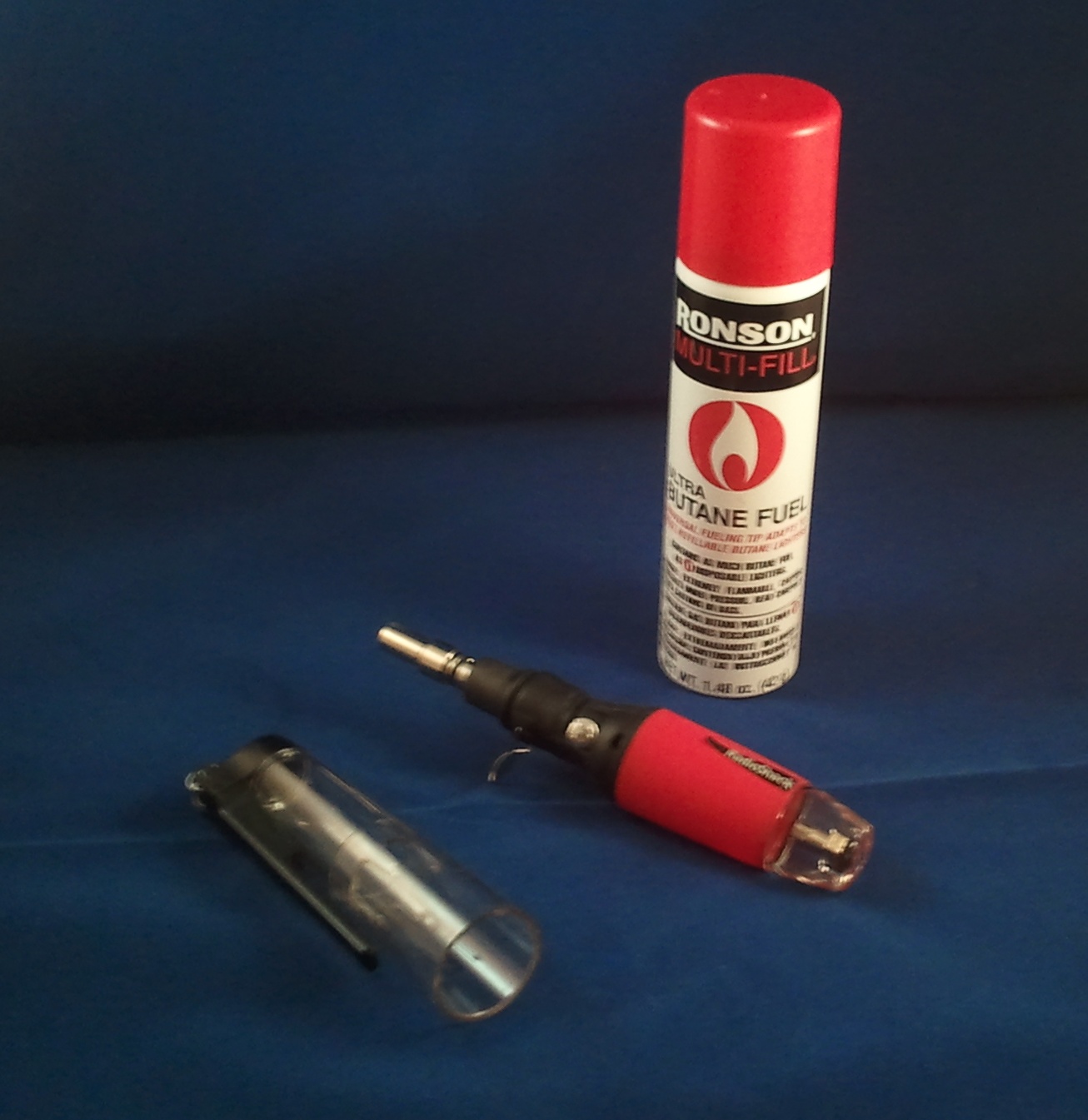
A butane-powered soldering iron / blowtorch. Good for larger jobs, but can easily cook smaller components.

This one is pretty handy. Unlike the other irons, it works by butane combustion: a pilot flame is lit which burns itself out as the mantle comes up to temperature. The iron can be throttled (by which I mean it can be throttled anywhere from “quite high” to “insane.”) It’s the 800lb gorilla of my soldering solutions — lots and lots of power, but it can very easily cook fragile chips before it even gets close enough to solder them. I carry this one along as well, but I tend to use it on larger projects (where it works extremely well.) I’ve been known to use the butane iron in my lab, too, for larger jobs not suited to the Weller iron. Keep a lighter handy, though: the built-in lighter wheel doesn’t always work well.


ColdHeat iron

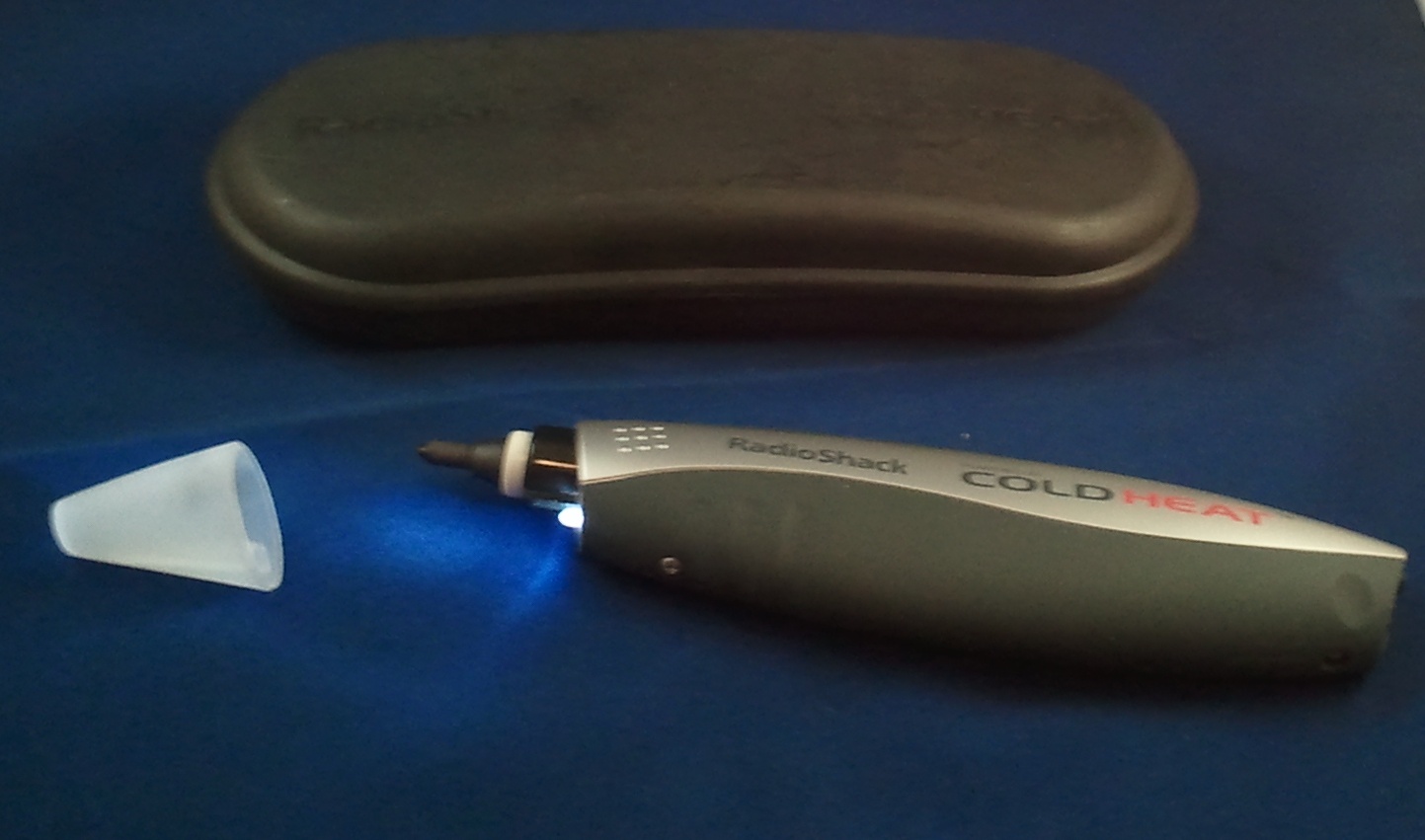
A ColdHeat soldering iron.

Several years ago, I saw an ad for a new kind of battery-powered soldering iron which seemed to almost work without heat (I.E. the tip cooled down very quickly, making the tool inherently a lot safer than most.) I thought this was a cool idea, so I bought one. Roughly ten years later, I still have yet to figure out how to make the damn thing reliably solder anything — small or large. In addition, the electrical arcs that it sometimes emits are very worrisome to someone like me who often works with ESD-sensitive devices. I still have it and try it again every so often, hoping that I’m just doing it wrong. So far, no luck. I’m beginning to think it’s just a gimmick.


Radio Shack battery-powered iron

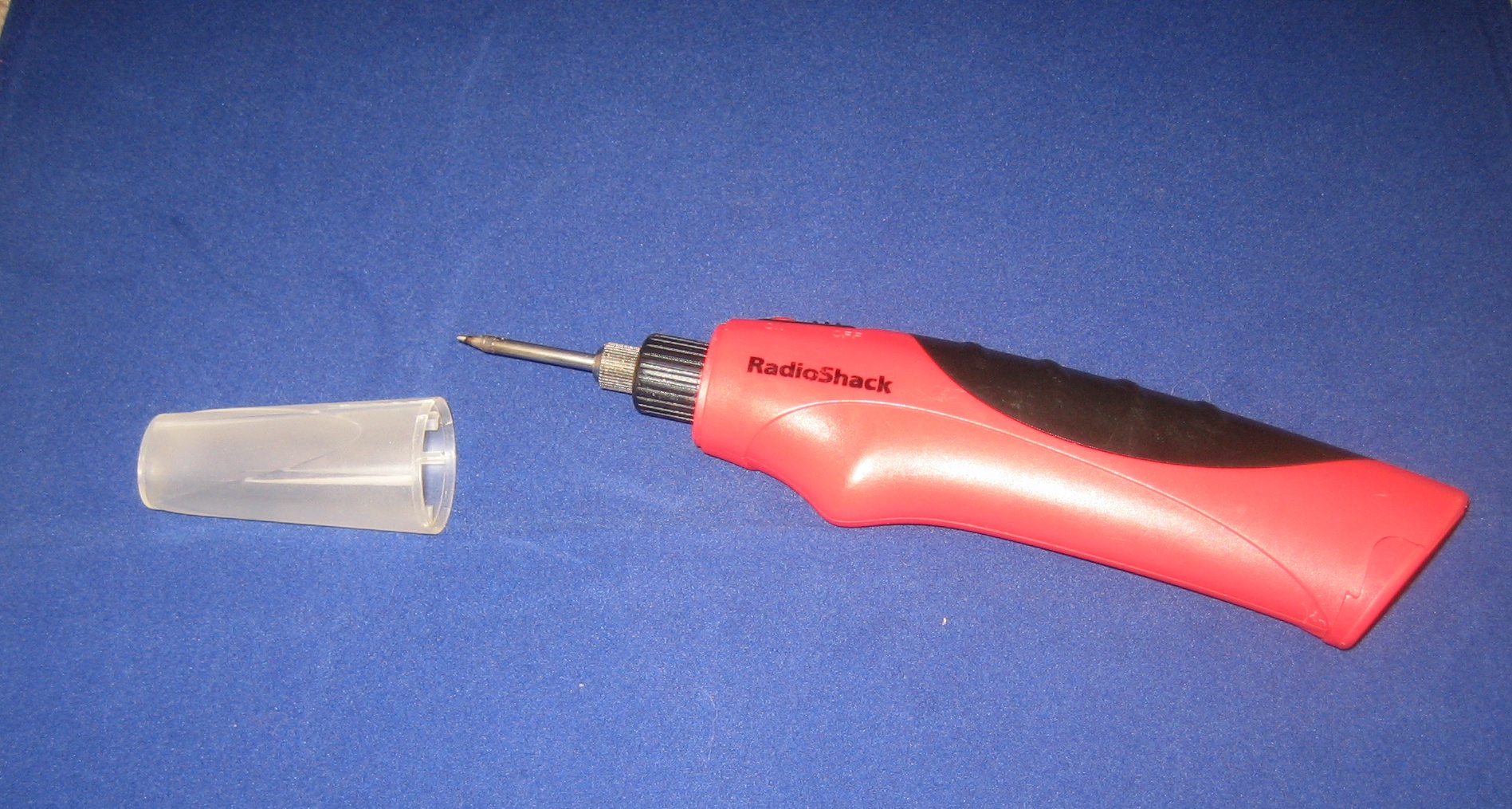
A Radio Shack battery-powered portable soldering iron — easily my second-most-useful iron.

After the very frustrating experience I had with the ColdHeat iron, I almost didn’t buy this one. I mean, come on — a $20 portable soldering iron, small enough to fit in my toolbox, which works on four AA batteries??
I’m very glad I eventually decided to take a chance on it. It is easily the second most versatile iron I have, even ignoring its portability. Only the Weller is better.  Radio Shack’s tools are sometimes hit-or-miss with respect to quality, but they have a winner here. Its only real drawback is that it isn’t very powerful, but combined with the butane iron, it’s a great tool to have along.


Posted in Electronics, Reviews, Tools | Leave a comment