Heathkit is back!

After twenty years, Heathkit is getting back into the electronics kit business. Many electronics hobbyists who were active in the second half of the last century remember building kits from Heathkit. A wide range of devices were available in kit form, from oscilloscopes to amateur radio receivers and transmitters, to computer trainers and EPROM programmers. Like many electronics enthusiasts, I was sorry to see them exit the kit business in 1992.

Twenty years later, though, Heathkit appears to be back. Their first kit — a garage parking assistant — is already available. Although the technology is modern  (the kit appears to use an ultrasonic sensor very much like Parallax’s PING))) sensor), the through-hole construction, solid-looking engineering, and apparent attention to ease of construction appear to be there.
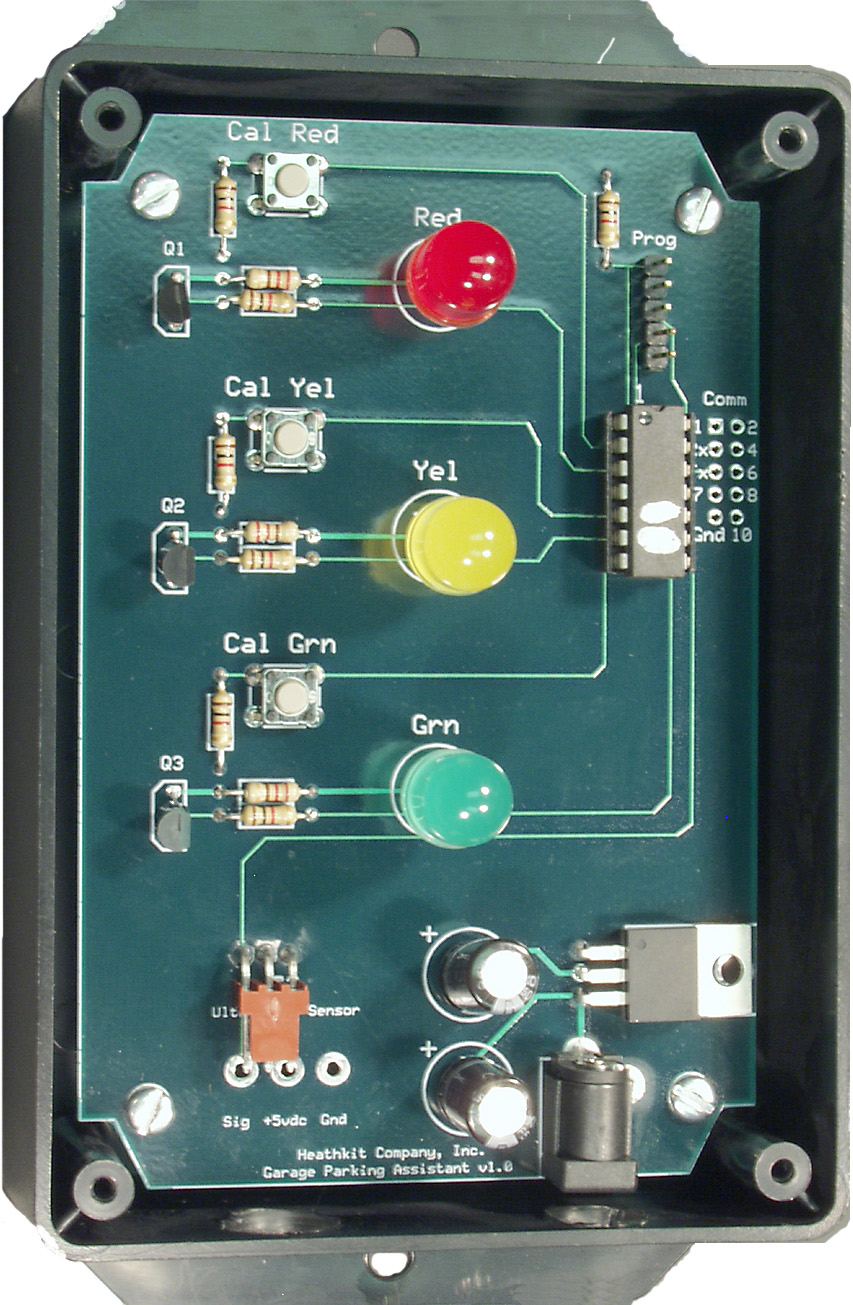
Heathkit's GPA-100 Garage Parking Assistant kit, assembled. (Click for larger.)

For $129.00US, though, it ought to be! Ultrasonic sensors aren’t dirt-cheap, true — the PING))) sensor costs about $30 — but even so, this kit could easily be build for half of what Heathkit is asking, including picking up the parts and a basic soldering outfit from Radio Shack. An ultrasonic proximity sensor is a fairly straightforward project, especially if something like the very easy-to-use PING))) sensor is used. A single microcontroller, power supply, a few resistors, a PC board, and a case would be about all you would need.

Perhaps Heathkit is including tools to make the package a better deal, though. The board includes a programming header for what appears to be a PIC or similar microcontroller. The addition of a PIC programmer such as Microchip’s PICKIT2 or PICKIT3 would make the $129 price tag a lot more appealing to a hobbyist wanting to learn more about microcontroller-based design. Unfortunately, no information about the kit specifics is available on Heathkit’s site. Without this information, it’s hard to make an informed decision on whether the kit contents are worth the high price.

It’s nice to see a legendary Maker-friendly company like Heathkit get back into the DIY business. However, it’s likely that Heathkit’s potential customers fall into one of two categories: former Heathkit enthusiasts who have fond memories of building vintage Heathkit gear — and newcomers to the hobby, who may have heard of Heathkit but who are too young to really remember the way it was. The former group will probably have long since moved beyond simple kits like garage parking assistants — and the second group is probably ‘Net-savvy enough to know that these days, Heathkit has serious, low-cost, high-quality competition from the likes of Adafruit, Sparkfun, Element14, and Jameco.

Even Radio Shack, not normally known for low prices, has been doing a much better job recently. Heathkit will need to step up its game — quickly — to remain relevant. I wish them luck.
 

Posted in Digital, Electronics, Nostalgia, Reviews | Leave a comment

Got Rubidium?

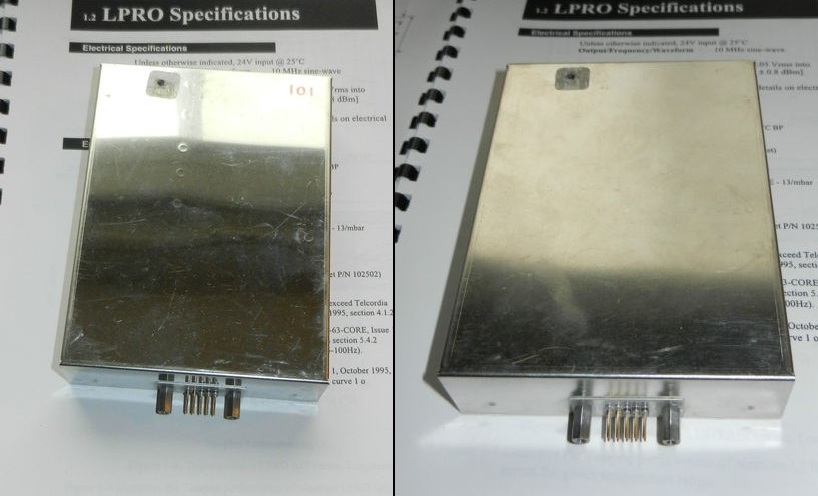
A nice side benefit to living in an increasingly technological age is the availability of interesting secondhand tech gear on sites like eBay. I recently came across a pair of Rubidium-based 10MHz atomic frequency standard modules for about $100 including shipping.

The Rubidium modules as seen in the eBay listing. (Click for larger.)

Rubidium frequency standard modules are considered by NIST to be secondary frequency standards — far more accurate and stable than most typical oscillators, including oven-controlled crystal oscillators — but not quite as stable as cesium-based units. Rubidium units have an accuracy of about 0.1 to 1.0 parts per billion. In other words, they would gain or lose just of a fraction of a second per decade.

The way they work is quite interesting: a rubidium lamp is used to produce light of a certain frequency (6.834682610904324 GHz), which corresponds to the time period of a transition between two specific hyperfine energy levels of rubidium atoms. This light passes through a chamber filled with gaseous rubidium before being sampled by a photodetector. A high-energy RF signal of around 6.8GHz is then applied to the chamber. This frequency tracks higher and lower by about 15-20 parts per million (PPM), until the photodetector senses a dip in the light being transmitted. Once this dip is sensed, it means that the applied frequency is the same as the resonance frequency of rubidium (the frequency match means that more photons from the Rubidium lamp are absorbed.)


A diagram of the rubidium frequency standard control loop. (Source: nist.gov)

When the frequency is locked (via a phase-locked-loop) to match this transmission dip, the applied RF frequency is known to be within a fraction of a part per billion of the  resonance frequency of rubidium, which is known to very high accuracy. The frequency is then divided down to produce a very exact 10MHz reference signal.

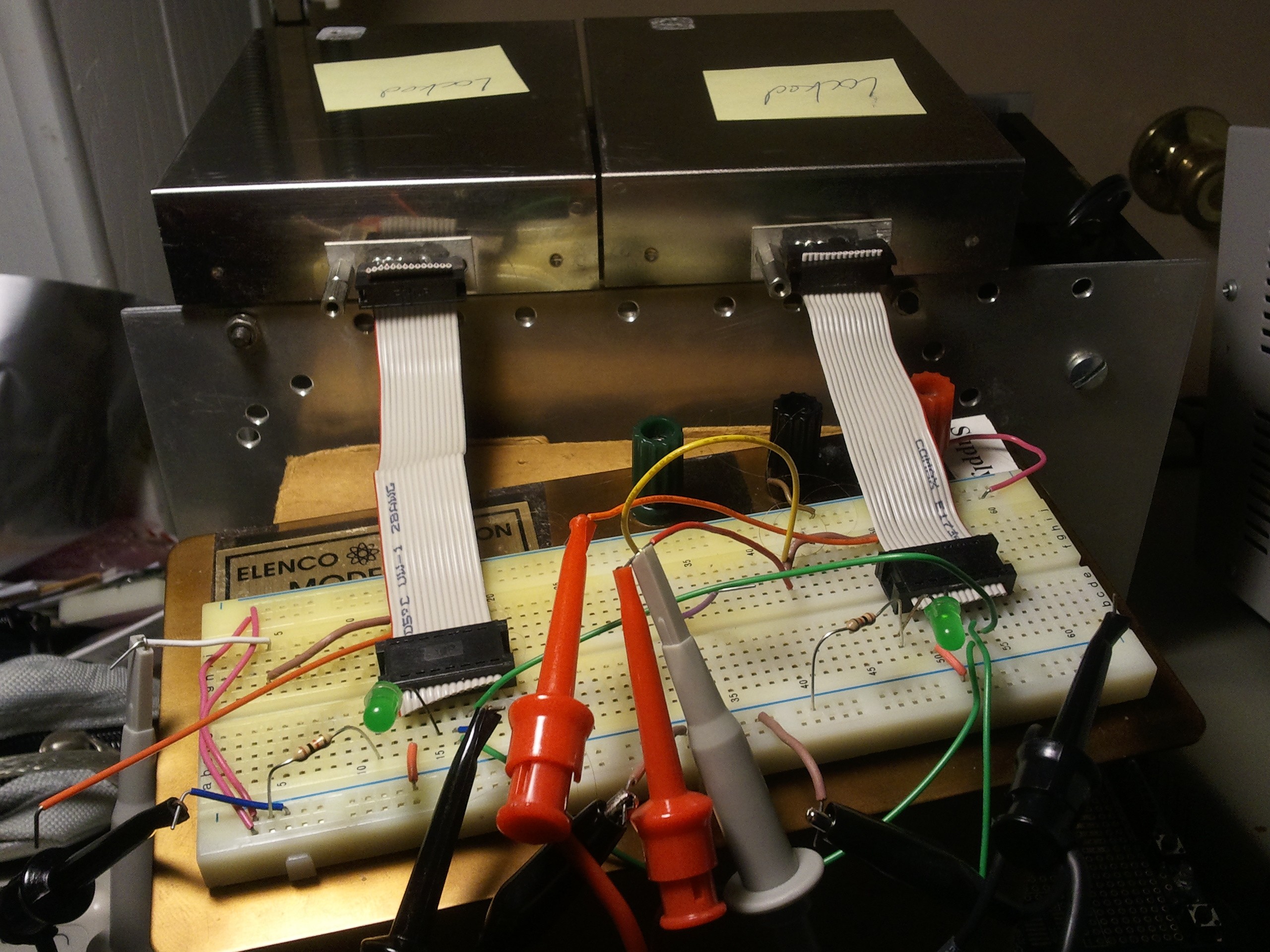
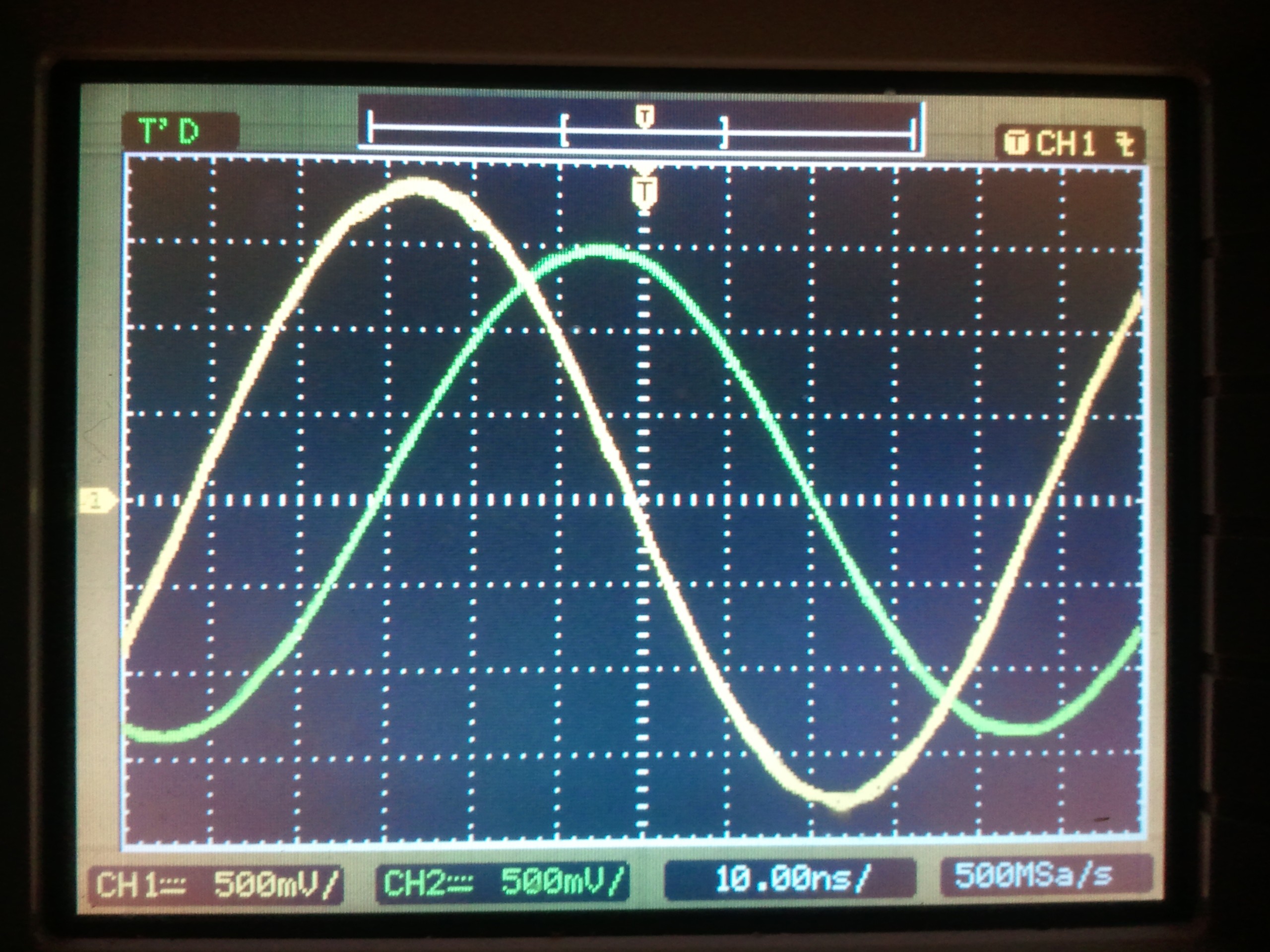
After a brief check, I set up the two modules; the requirements are surprisingly basic — just a 24V power supply. I then compared the two 10MHz output signals on an oscilloscope once both had achieved rubidium lock. It took 136 seconds for the difference between the two clock phases to drift by one cycle with respect to one another, starting a minute or two after the second one achieved lock.

Testing a pair of rubidium frequency standards. (Click for larger.)


Viewing the phase difference between the 10MHz signals from both units. (Click for larger.)

After letting the clock modules run overnight, the time for one 360-degree phase shift between the two reference signals had lengthened to 400 seconds. At a signal rate of 10MHz, this means that the clock modules would disagree by one second for every 4,000,000,000 (four billion) seconds elapsed. In other words, running continually like this, they would disagree by one second every 126.75 years. (By contrast, the most accurate mechanical clocks gain or lose a second every year or two.)

Unfortunately, the downside of buying “as-is” units on eBay is that you often run into reliability problems. While both units do work and do achieve Rubidium lock (as the seller stated), the second unit has a very low rubidium lamp voltage (~2.43 volts). This indicates that it is near the end of its service life (the rubidium lamp has a finite lifetime). This explains why Unit 2 loses rubidium lock periodically (making it the equivalent of a rather oversophisticated crystal oscillator.) Amazingly, even without the rubidium lock, it still runs within 20PPM of the correct frequency — more than twice as stable as a typical TTL oscillator module. However, the rubidium phase lock is the whole point here: this provides roughly ten to twenty thousand times more accuracy.

According to the specifications I could find, healthy lamp voltages are in the 6-9 volt range, with higher being better (within reason). Fortunately, the first unit has a lamp voltage of around 8.9V, suggesting that it should be quite reliable. According to a technical note by the Datum corporation, the Rubidium package shouldn’t wear out, so the loss-of-lock problem may yet be manageable.

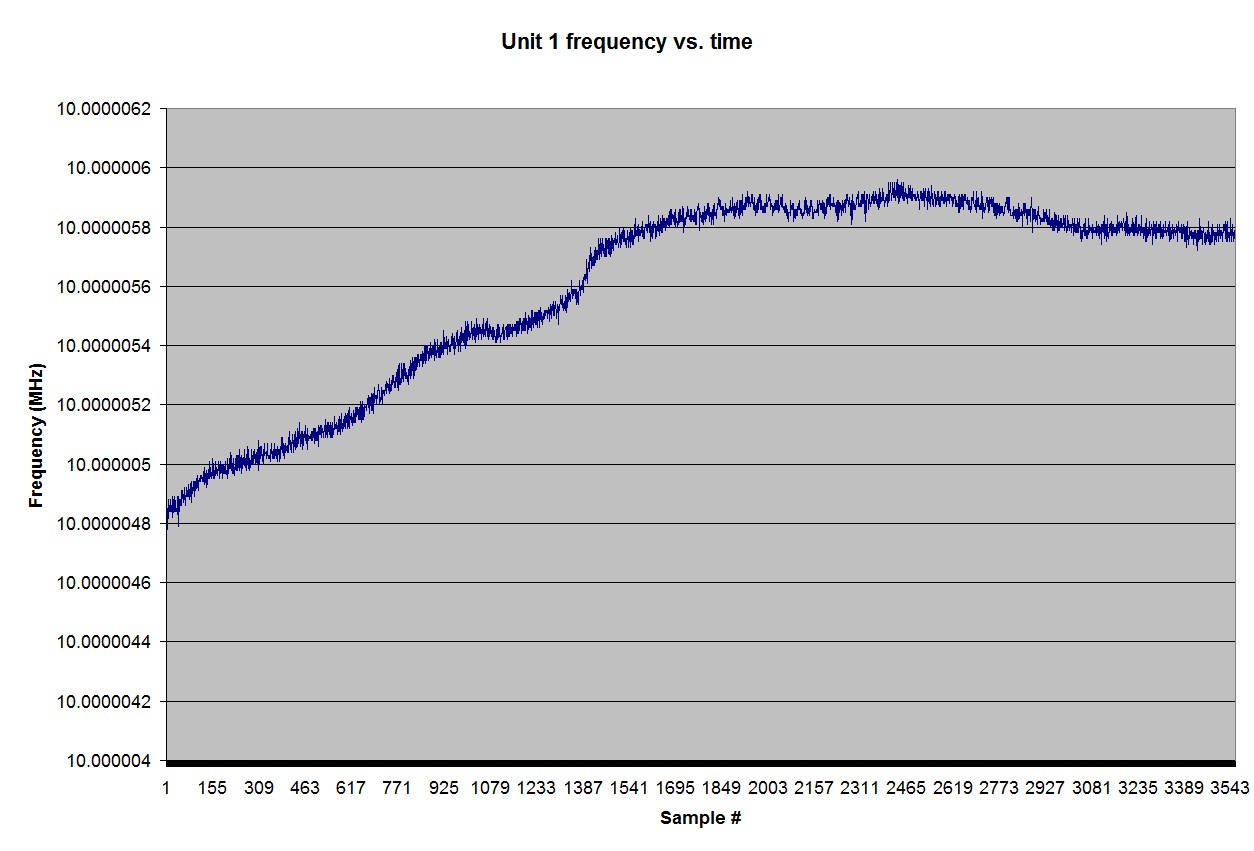
Unit 1, meanwhile, runs nicely — with a frequency variation of only about 1Hz out of 10MHz over an hour-long test run, according to my frequency counter.

Frequency drift -- probably mostly that of the frequency counter -- as measured over one hour. (Click for larger.)


I have cool plans for these little modules, once I either get the second unit to work reliably or find a replacement. With fraction-of-a-part-per-billion accuracy, all kinds of interesting experiments become possible, including investigating Einsteinian relativity. The first step is to make a management module, which would provide power, track number of pulses since reset, keep track of any loss-of-lock incidents, and monitor temperatures and voltages.


Posted in Electronics, Science | Tagged , , , , , , , | 2 Comments

Sugru

While ordering the latest batch of toys components from SparkFun, I noticed something new — a 12-pack of moldable, air-curable rubber called Sugru. The description said that it could be used for all kinds of hacks, repairs, and inventions. It looked interesting, so I picked up a pack to try out.

The Sugru sample pack.


Opening the pack, I found twelve packets in various colors, two sets of Sugru stickers, and a mini instruction manual.

The contents of the Sugru sample pack. (Click for larger.)


Opening up a blue packet, I found the Sugru material quite a bit tackier than I’d expected. It’s like a mix of modeling clay and Silly Putty, and seems to want to stick to everything.

Sugru in its native habitat. Now I know why they recommend cutting through three sides of the package to get at it. (Click for larger.)

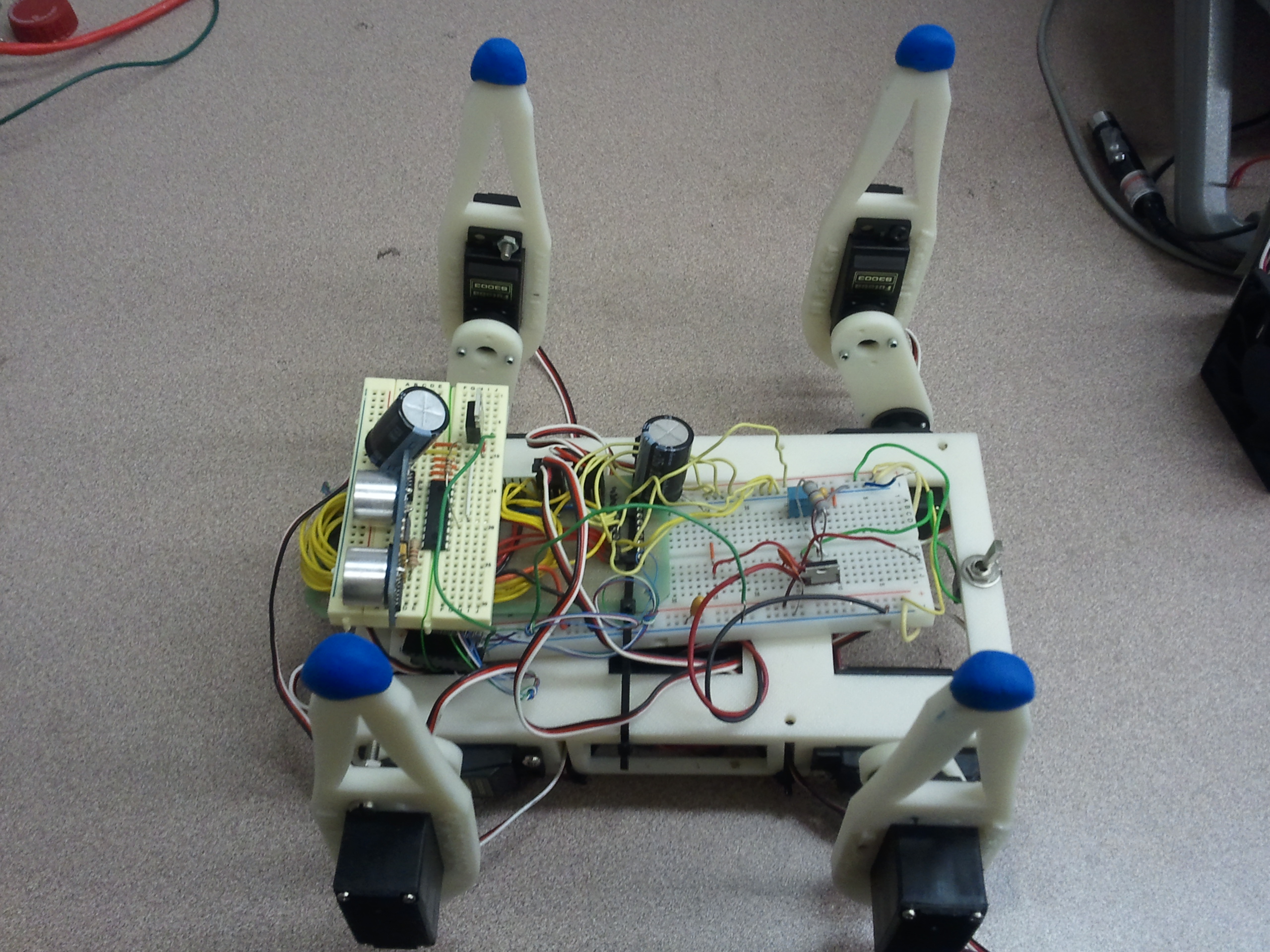
I initially tried making a D4 (tetrahedron), but wasn’t able to form the shape accurately, since the Sugru stuck to the desk. (It sticks to everything.) I then split it into four pieces and formed “feet” for the SIGMA walking robot.

The robot with its feet in the air, waiting for the Sugru to cure. (Click for larger.)

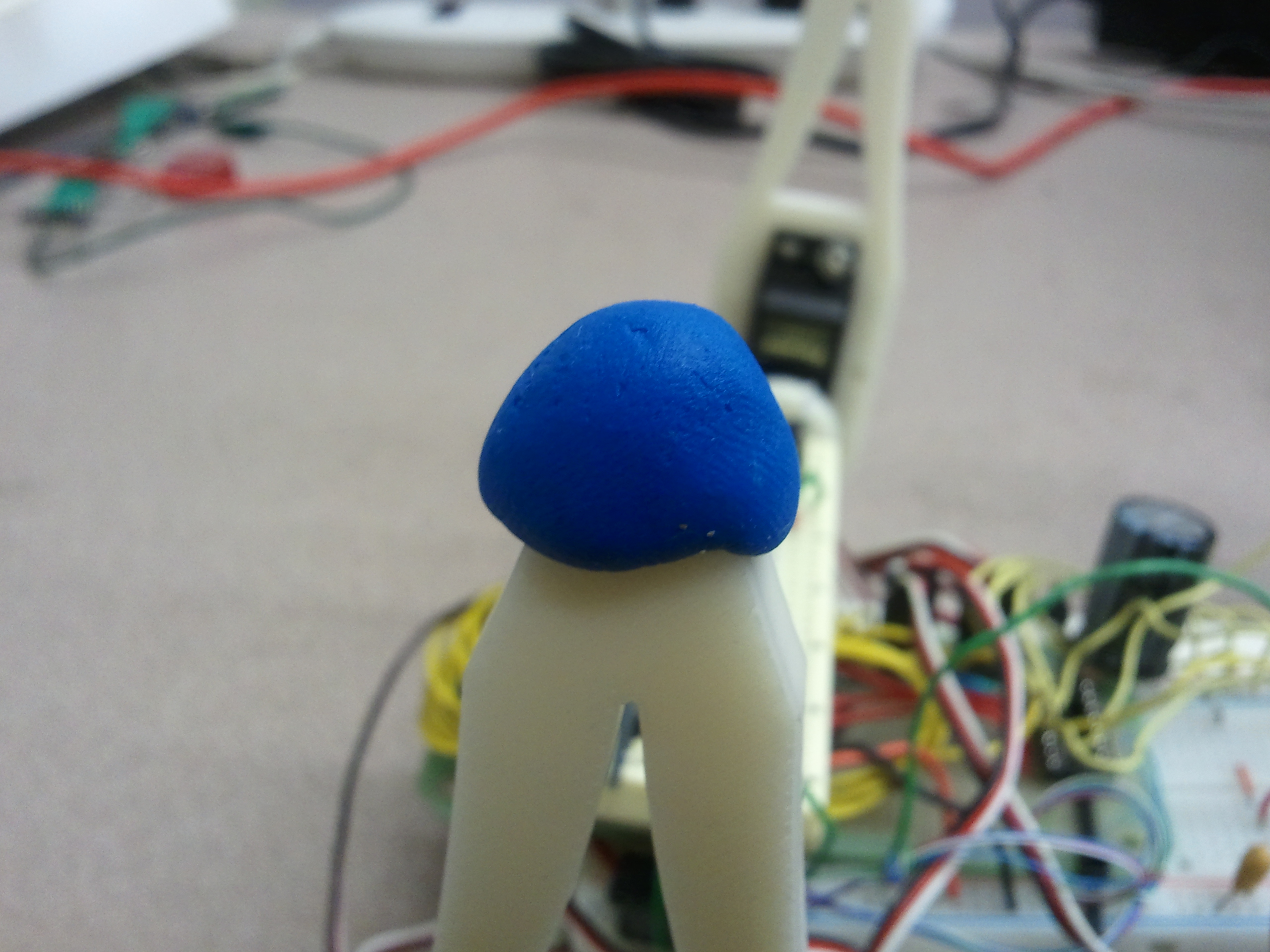
A closeup of one of the robot's new Sugru feet. (Click for larger.)

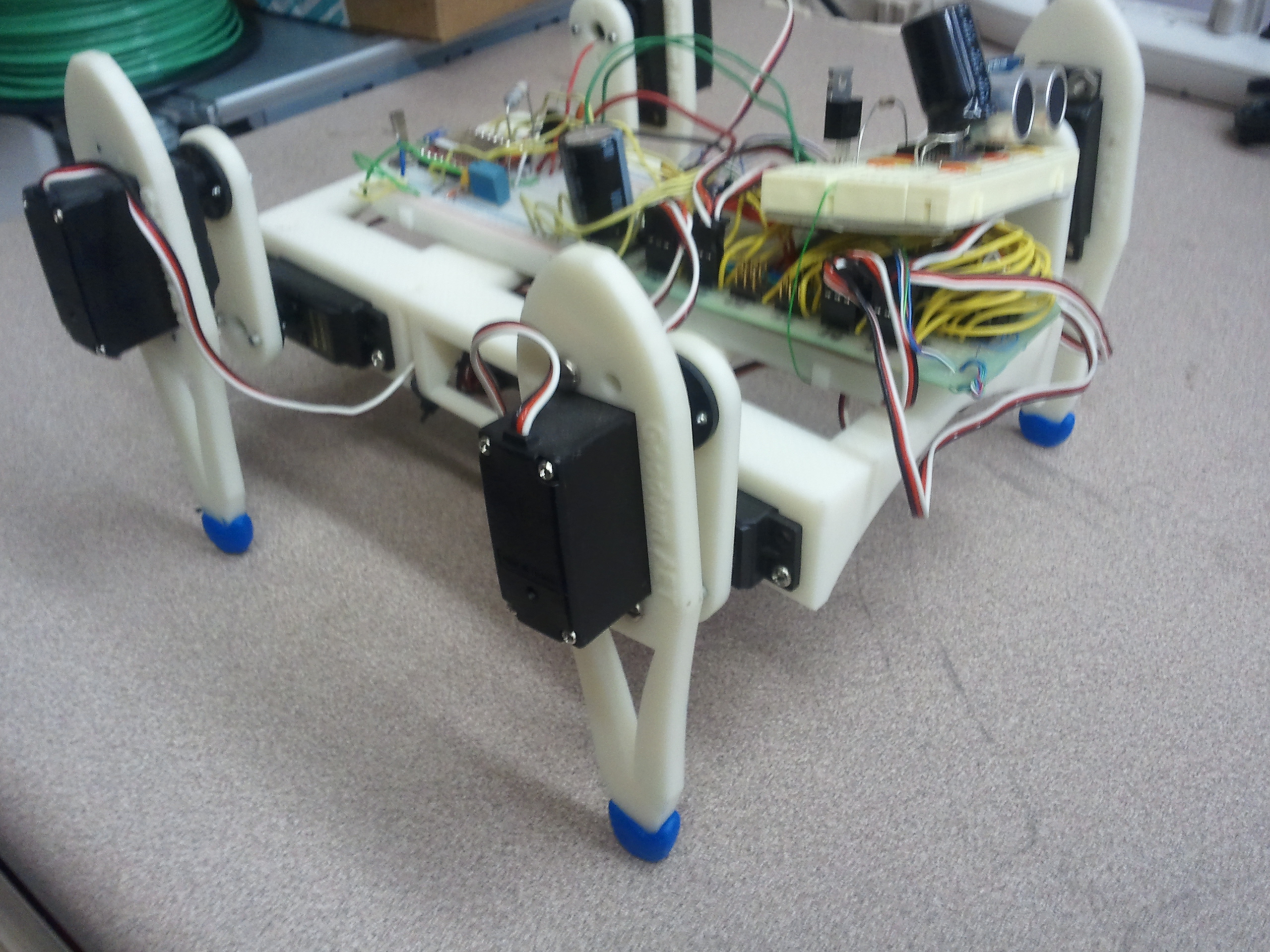
A couple of days later, the Sugru had cured nicely into a rubbery form, and the robot was ready to try out its new shoes.

The SIGMA robot's new Sugru shoes. (Click for larger.)

I’m still figuring out what I’ll use Sugru for, but it does seem to work well for various types of small mechanical hacks — basically, any place you’d like to be able to put Silly Putty and have it cure into a waterproof rubber-like substance over a day or two.

Posted in Design, Reviews | Leave a comment

Oscilloscope Basics

Working with electricity can let you do some amazing things — like move objects around, produce, record, play back, and analyze signals of all kinds including audio and video, and even build computers and computer networks.

Unfortunately, electricity is not only useful, but invisible — which can make it difficult to see exactly what is going on in a circuit.

This is where oscilloscopes come in. An oscilloscope is a device which translates an electrical signal into an onscreen plot — usually, of voltage vs. time. The X (horizontal) axis generally represents time (increasing left-to-right), and the Y (vertical) axis generally represents voltage. Both of these can be scaled appropriately to show the features of the signal that you’re interested in.

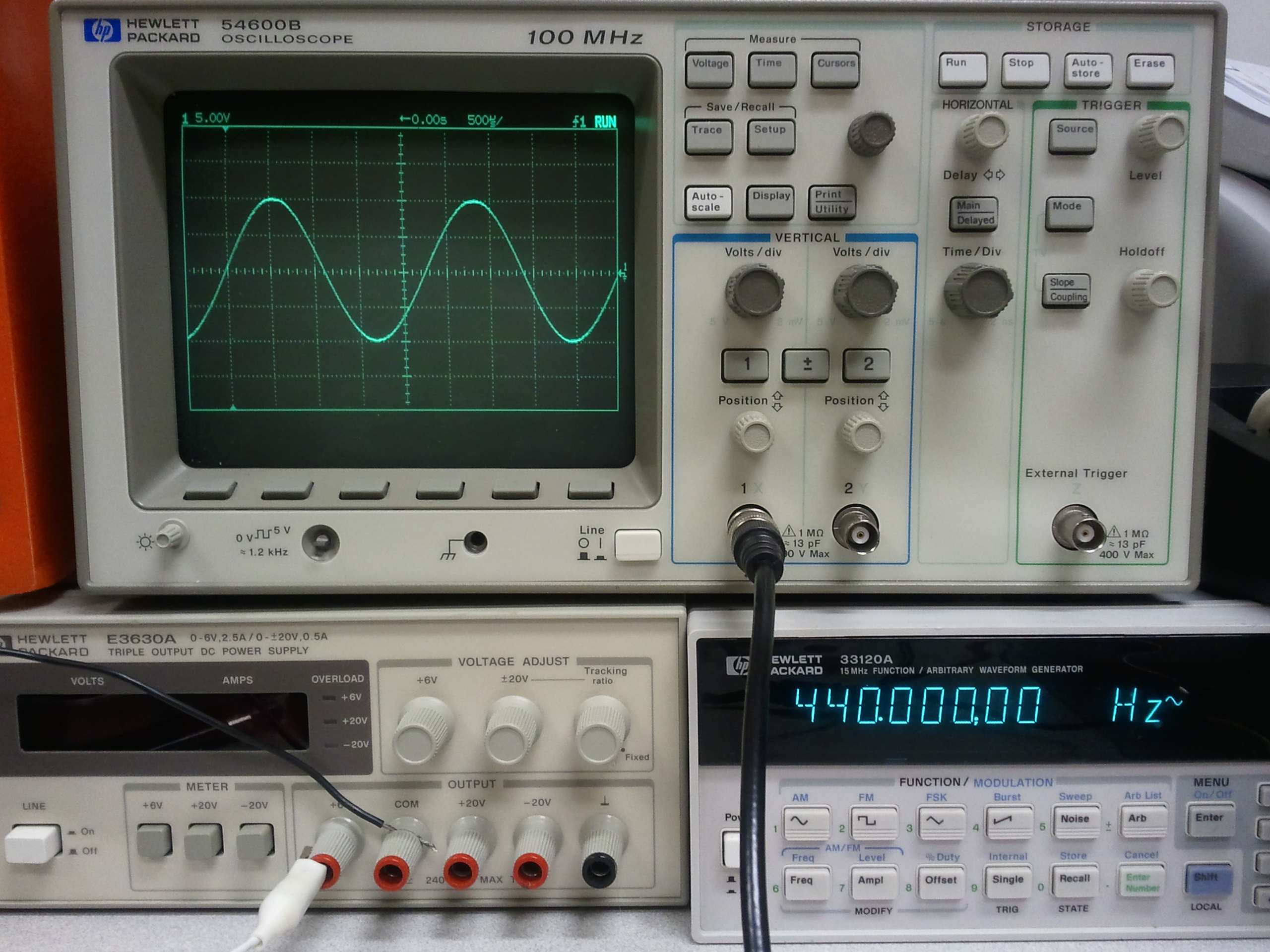
An oscilloscope, displaying a 440Hz sine wave from a signal generator. (Click for larger.)

There are many controls on a typical oscilloscope — which can make learning oscilloscope use somewhat intimidating, at first. Here are a few tips to help get you started:

  • It’s (almost) impossible to damage the oscilloscope by setting the controls wrong. The worst that would generally happen is to set the ‘scope to settings that don’t make sense for displaying the signal you’re looking at. (This is assuming that the signal being fed into the oscilloscope is of a reasonable voltage.)
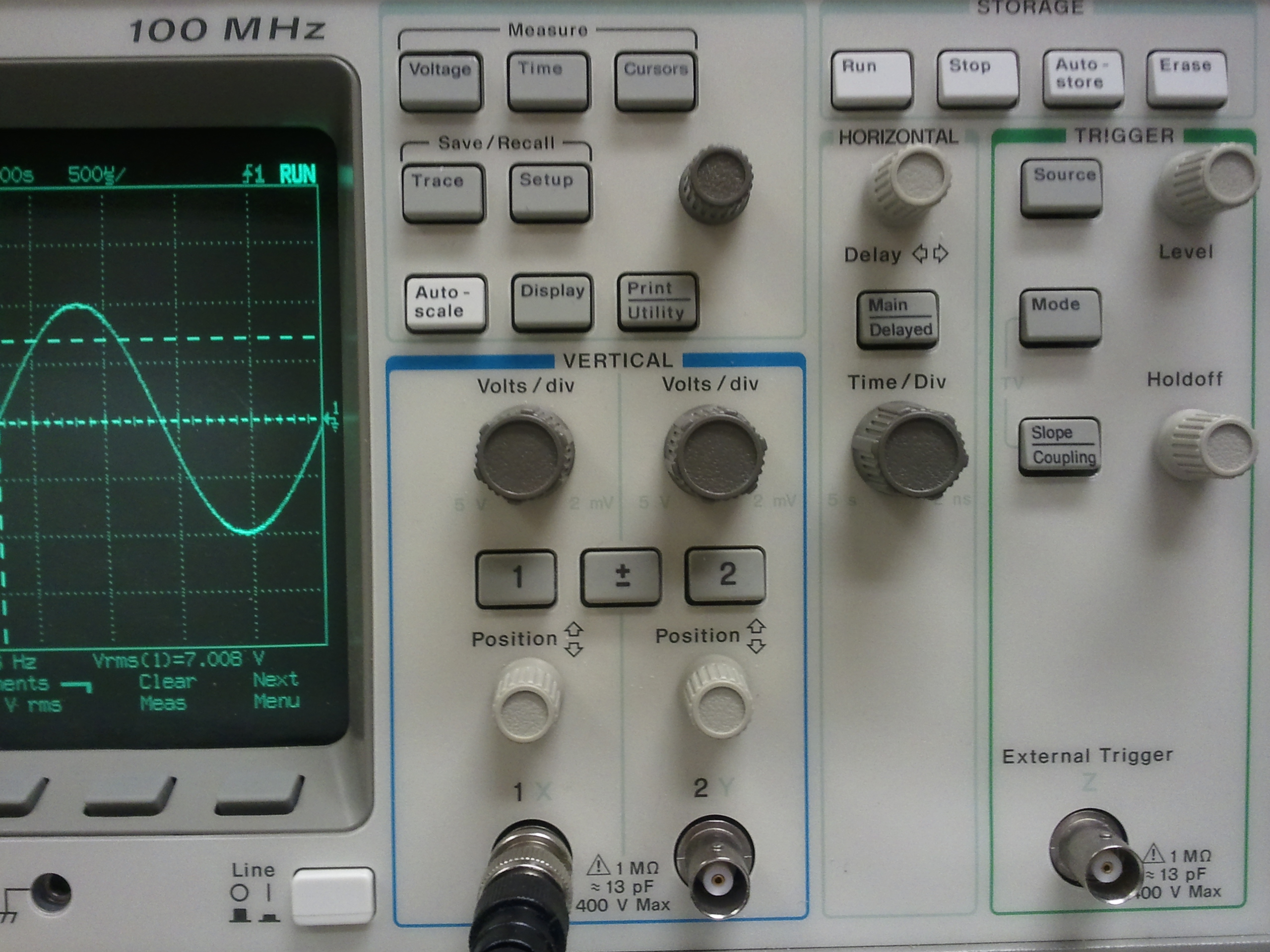
  • There are four basic controls that you should become familiar with:
    • The “Time/Div” control, which determines the speed of the sweep. Turn this knob clockwise to display faster signals (less time per horizontal division on the screen); turn it counterclockwise to display slower signals (more time per division on the screen.)
    • The “Delay” control. This basically moves the display left and right, allowing you to see other parts of the signal. It has more functionality on a digital ‘scope because of differences in the way these ‘scopes work. (I plan on writing an article about the differences between digital and analog ‘scopes someday.) For now, think of this as a “pan” control which lets you view earlier or later parts of the signal on the screen.
    • The “Volts/Div” control. This sets the vertical scale of the display. Turn this knob clockwise to display small-amplitude signals (fewer volts per vertical division on the screen); turn it counterclockwise to display large-amplitude signals (more volts per vertical division on the screen.) Remember that many oscilloscope probes include a voltage divider — typically 10:1 — and that this can make the displayed voltages appear smaller than they are, if the ‘scope doesn’t compensate for this.
    • The “Vertical Position” control. This allows you to move the display up and down, centering the display on a higher or lower voltage. For instance, if you wanted to analyze a 1-volt sine wave that had a 3-volt DC bias, centering the display on +3 volts would allow you to increase the vertical gain and see smaller details of the signal.

The controls of an HP 54600B digital oscilloscope. (Click for larger.)

Modern oscilloscopes have many other controls — including various trigger modes (the trigger function determines when the ‘scope starts drawing the plot across the screen); coupling modes (AC coupling inserts a series capacitance, removing DC bias from incoming signals); and many others, such as bandwidth limiting (for filtering out high-frequency noise).

One major benefit of modern digital oscilloscopes is the “Auto Scale” function (the white button just to the right of the screen on this ‘scope.) This “magic button” analyzes the incoming signals and makes an educated guess as to what display settings would work well. I find that it guesses right about 3/4 of the time — and the rest of the time, it usually focuses on one particular part of the signal — perhaps a noisy transition such as ringing noise on a square wave.

Also remember: “When in doubt, zoom out.” Set Volts/Div to a fairly high level (counterclockwise) and Time/Div to a slow speed (also counterclockwise). This will generally let you see the “big picture” and then zoom in as needed. Don’t overdo the Time/Div, though — at several seconds per division, it might seem like the ‘scope has stopped responding when it takes the better part of a minute to trace across the screen one time!

Posted in Analog, Digital, EET205, EET325, Electronics, Fundamentals, HOW-TO, Tools | 2 Comments